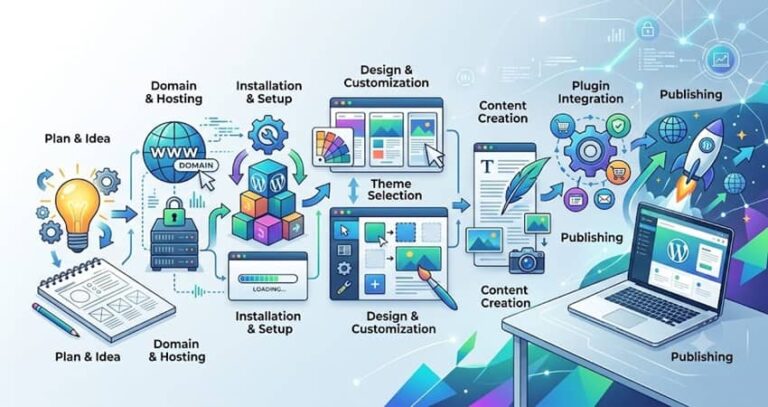
How to Create a WordPress Website: The Complete A-to-Z Guide
Discover step by step how to create a professional WordPress site, optimize its SEO and launch your online presence effectively.
Read the article
Need to optimize your WordPress site? Explore our WordPress section and benefit from practical tips to improve performance, security, and your visibility on Google.
WordPress powers a large share of business websites, but a well-designed site is not enough: it also has to be indexed, fast and structured for Google. This category brings together my practical guides to create a WordPress site and make it visible.
You will find the steps to install and configure WordPress, choose a theme and plugins without slowing the site down, submit your sitemap, use Search Console and fix the most common indexing problems. I rely on the WordPress and Divi sites I manage every day to show what really works and what wastes time.
The articles are written for freelancers and small businesses that manage their own site and want to avoid classic mistakes: pages that are not indexed, a slow website, conflicting plugins or duplicate content.
Need help? See my WordPress website creation and WordPress SEO consultant pages.
Blog categories: Branding · Google My Business · Local SEO · Local SEO by Industry · SEO · SEO Consultant · WordPress Guide
Discover step by step how to create a professional WordPress site, optimize its SEO and launch your online presence effectively.
Read the article
How to get your WordPress site indexed by Google: sitemap, Search Console, robots.txt and best practices for fast indexing.
Read the articleYes, when it is set up properly. WordPress makes it easy to manage titles, URLs, menus and content, and there are excellent SEO tools for it. Problems usually come from a heavy theme, too many plugins or forgotten settings, such as the option that asks search engines not to index the site.
Yoast SEO and Rank Math are the most widely used and cover the essentials: title and meta description tags, XML sitemaps, structured data and indexing control. What matters is not the plugin itself but how it is configured and how your content is written.
Use a caching plugin, compress images, limit the number of plugins and choose fast hosting. Test each setting one at a time, because some optimisations can break a theme such as Divi. If your site is outdated or very slow, a full website redesign can be more effective than patching it. If you would rather delegate, see my WordPress SEO consultant page.
A page builder is perfectly compatible with good SEO if it is used carefully. The main risks are heavy pages, duplicated styles and missing heading structure. With the right caching settings, optimised images and clean headings, a Divi site can load quickly and rank well. I work with Divi every day and know which settings to change and which to leave alone.
Security updates should be applied quickly, ideally within days. For major versions, make a backup first and check the site afterwards, because a plugin or theme update can occasionally break a layout. Remove plugins you no longer use: each one adds code to maintain and can slow the site down.
Automated assistant. For a personal answer, leave your details in the chat.