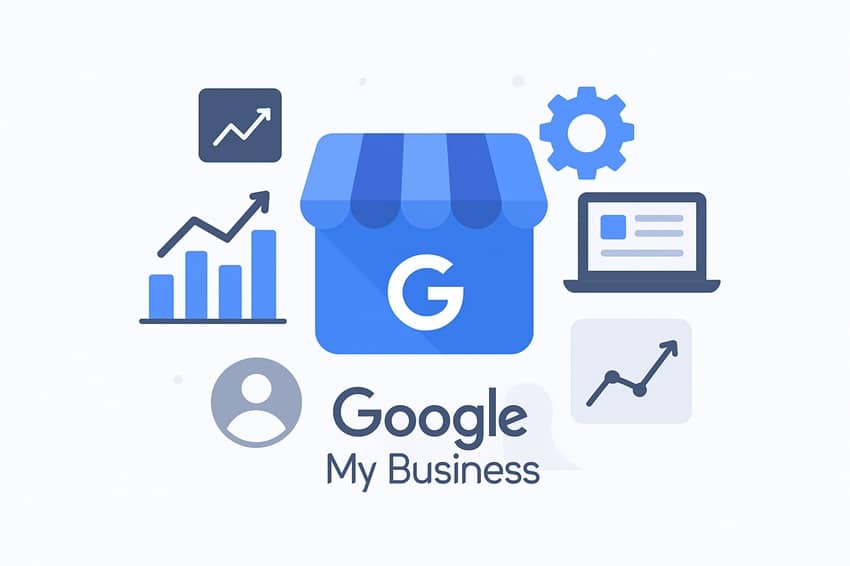
Google My Business Definition
Google My Business, now called Google Business Profile, is a free tool that allows businesses to manage their online presence, especially on Google Search and Google Maps.

What is Google My Business?
With a well-optimized business profile, your company can appear in local search results, attract the attention of potential customers, and generate more in-store visits or calls.
In short, Google My Business is a local extension of your online presence: a true cornerstone of your local digital strategy.
Why is Google My Business Essential?
Here are the main benefits of Google My Business:
| Advantage | Direct Impact |
|---|---|
| Local visibility increase | More prospects discover your business |
| Improved communication | Direct interaction with customers |
| Online reputation management | Collection and response to customer reviews |
| Targeted traffic acquisition | More visits to your store or website |
| Local SEO optimization | Appearance in Google's local pack |
What Does a Google My Business Profile Look Like?
| Element | Example Content |
|---|---|
| Business Name | SEO Consultant Lille - Freelance - SeoYass |
| Address | 34 Pl. du Général de Gaulle, 59800 Lille |
| Phone | +33 (0) 7 82 52 04 14 |
| Website | https://www.seoyass.com/en/ |
| Opening Hours | Monday - Sunday: 24/7 |
| Photos/Videos | Products, photos of SeoYass, references, projects |
| Customer Reviews | 5 stars out of 5 |
| Local FAQ | What is the price of Google My Business SEO? |
Main Features of Google My Business
| Feature | Purpose |
|---|---|
| Information management | Edit address, phone number, and opening hours |
| Review responses | Improve your online reputation |
| Statistics (Insights) | Track calls, visits, and searches |
| News publishing | Share events and promotions |
| Instant messaging | Communicate directly with customers |
Concrete Benefits for Your Business
✔️ Increased traffic to your website.
✔️ More phone calls.
✔️ Higher number of in-store visits.
✔️ Enhanced brand image.
How to Create and Optimize Your Google My Business Profile?
| Step | Action |
|---|---|
| 1. Account creation | Sign in to Google Business Profile Manager |
| 2. Add your business | Enter your business name, address, and category |
| 3. Verification | Verify your ownership (by mail, phone, or email) |
| 4. Complete your profile | Add photos, services, and detailed hours |
| 5. Monitoring and engagement | Respond to reviews and post regularly |
Tips to Optimize Your Profile
✅ Complete 100% of the available fields.
✅ Post weekly (photos, events, updates).
✅ Respond to all reviews, including negative ones.
✅ Keep your information always up to date.
Bonus Tips to Boost Your Google My Business Profile
| Action | Impact |
|---|---|
| Add local FAQs | Answering common questions improves your SEO |
| Publish special offers | Attract more customers through promotions |
| Integrate professional videos | Increase visitor engagement |
| Use geotagged images | Strengthen the local relevance of your listing |
Tendances de Google My Business à surveiller
To maximize your online presence and stay competitive, it’s essential to monitor emerging trends shaping this platform. Here are the key trends to watch:
1. Integration of Artificial Intelligence and Automation
Google increasingly uses AI to automate tasks such as review management and responses to frequently asked questions. Leveraging AI to receive suggestions and personalize search results based on user interactions on GMB can provide a significant advantage for early adopters.
2. Growing Importance of Reviews and Online Reputation
Google reviews remain central to local SEO. Businesses with strong, recent, and authentic reviews are favored. Encouraging customers to leave reviews and actively responding to them can significantly impact your local search rankings.
3. Google My Business Posts (Google Posts)
Regular posts on GMB are an excellent way to boost engagement and keep your business information current. Whether it’s special offers, events, or updates, Google favors businesses that regularly share fresh content. This trend highlights the importance of maintaining a dynamic and active profile.
4. Optimization for Voice Search
With the rise of voice assistants like Google Assistant, voice searches are increasingly common. Optimizing your GMB profile for these conversational, location-focused queries is essential. Ensure your information is complete and easily accessible to increase your chances of appearing in voice search results.
5. Mobile Optimization of Google Business Profile
Mobile optimization is now a must. More consumers access GMB via mobile devices, making it crucial that your profile is fully optimized for mobile with easy-to-read information, clear calls-to-action, and attractive visuals.
6. User Experience (UX) and Profile Interactions
Google continues to enhance UX, making navigation and interaction with business profiles easier. Features like direct appointment booking or simplified Q&A improve engagement and customer satisfaction.
7. Multi-Location Business Profiles
Companies with multiple locations must manage their profiles efficiently. Google emphasizes management tools like Google Location Manager. Being able to oversee multiple listings from a single account is becoming increasingly crucial for businesses with a strong local presence.
🎯 By following these trends and adapting your strategy, you can maximize the benefits of Google My Business and keep your business at the top of local search results.
Keywords and entities associated with Google My Business
| Keywords | Description |
|---|---|
| Local SEO | Optimization to appear in local search results, especially via Google Maps. |
| Business listing | Business profile created on Google My Business, including information, reviews, and photos. |
| Google Maps | Google's map service that displays business locations and influences local visibility. |
| Google reviews | Ratings and comments left by customers that influence online reputation. |
| Google My Business posts | Regular posts about news, events, or promotions directly on the business profile. |
| Google Business Profile | New name for Google My Business since 2021, a tool to manage your business listing. |
| Google My Business attributes | Specific characteristics of your business (e.g., wheelchair accessible, delivery available). |
| Questions and answers (Q&A) | Section allowing users to ask questions and receive answers about your business. |
| Local citations | Mentions of your business on local directories that contribute to credibility and visibility. |
| GMB API | Application programming interface that allows integration of Google My Business with other tools. |
Tools for Google My Business
| Tool | Description | Use |
|---|---|---|
| Google My Business (GMB) | Main tool to manage your business listing on Google. | Create, verify, and manage your business information, publish posts, respond to reviews, etc. |
| Google Insights | Provides statistics on how customers interact with your business listing. | Analyze listing performance (views, calls, direction requests) and adjust your actions accordingly. |
| Google Posts | Allows you to publish news, promotions, events, or announcements on your listing. | Engage customers with fresh content and improve your local visibility. |
| Google Reviews | Manages and responds to customer reviews on your Google My Business listing. | Improve online reputation by responding to reviews and encouraging customer feedback. |
| Google Q&A | Allows users to ask questions about your business and receive answers. | Manage direct communication with potential customers and address their concerns. |
| Google Maps | Displays your business location on the map. | Optimize your visibility on Google Maps to attract more local customers. |
| Google Analytics | Website analytics tool that can be integrated with Google My Business to track web engagement. | Measure website traffic generated from your listing and adjust marketing strategies. |
| Google Ads | Advertising tool to promote your business to a targeted audience via paid ads. | Increase visibility of your business listing based on your budget. |
| Google Tag Manager | Allows easy management of tracking tags on your website without modifying code. | Track website performance linked to your Google My Business listing. |
| Google My Business mobile app | Mobile app to manage your profile remotely. | Easily manage your listing anytime from a smartphone, publish updates, and respond to reviews. |
How long does it take to see results on Google My Business?
Generally, you can start seeing improvements within a few weeks after making the necessary changes to your profile.
However, for lasting results and increased visibility, it may take 1 to 3 months depending on your industry’s competitiveness and the quality of your profile.
Key steps to get started:
🔹 Profile creation and verification: Usually takes 24 to 48 hours for validation.
🔹 Optimization: Complete all information accurately, add photos, gather customer reviews, and update hours regularly. This can take a few days to a few weeks.
🔹 Visible effects: Improvements in your GMB ranking may start appearing after one to three months.
How much does SEO optimization on Google My Business cost?
However, to maximize local SEO results, several factors can influence costs:
In-house SEO management: If you manage your SEO yourself, there are no direct costs aside from the time spent optimizing.
Professional SEO services: If you hire a freelance SEO expert to optimize your profile, costs can vary.
Prices typically range from €100 to €500 per month, depending on your business size and the scope of services (content creation, review management, technical optimization, etc.).
Google My Business Practices to Avoid
However, caution is needed: certain risky practices can have the opposite effect, leading to suspension or even deletion of your business listing.
To protect your online presence, here are the prohibited or strongly discouraged techniques to avoid:
| Risky Practice | Possible Consequence |
|---|---|
| Filling your business profile with abusive or excessive keywords | Reduced visibility; listing may be penalized by Google |
| Posting fake customer reviews | Reviews removed; listing may be suspended |
| Using a fake address or a PO box | Immediate removal of the listing |
| Creating multiple listings for the same business | Penalties for duplication; loss of SEO ranking |
| Misleadingly categorizing your business activity | Partial or total delisting |
| Not keeping your information up to date | Loss of user trust and drop in traffic |
| Responding aggressively to negative reviews | Negative impact on your online reputation |
Best Practices to Stay Compliant
🔹 Encourage authentic reviews from real customers.
🔹 Respond politely and professionally to all reviews, whether positive or negative.
🔹 Select the correct business category without over-optimizing.
🔹 Regularly update your photos, business hours, and offered services.
Why Google My Business Is Essential for Your Local Growth
It’s a powerful strategic tool to attract, engage, and convert customers near you.
By optimizing your profile, you strengthen your local SEO, enhance your brand image, and outperform competitors in Google search results.
👨💼 Looking for a Google My Business expert? Contact me to boost your local visibility where it matters most.
Useful Links to Explore:
Let’s talk about your visibility

SeoYass
I am SeoYass, an SEO expert with over 15 years of experience. I have worked with small and medium-sized businesses, successfully completing more than 350 projects.
Passionate about local SEO, I continue to learn and refine my strategies to deliver the best results for my clients.