
Google reviews can make or break the reputation of a local business.
Even a single negative review on your Google Business Profile can influence the decision of many potential customers.
But does that mean you have to simply accept a negative review?

The answer is no… in certain specific cases.
Google does not remove a review simply because it is negative. However, if that review violates Google’s policies, it can be removed.
In this guide, you’ll discover 4 effective methods to remove an unfair Google review and protect your business’s reputation.
When does Google agree to remove a review?
Before taking any action, it’s important to understand one essential rule:
Google only removes a review if it violates its policies.
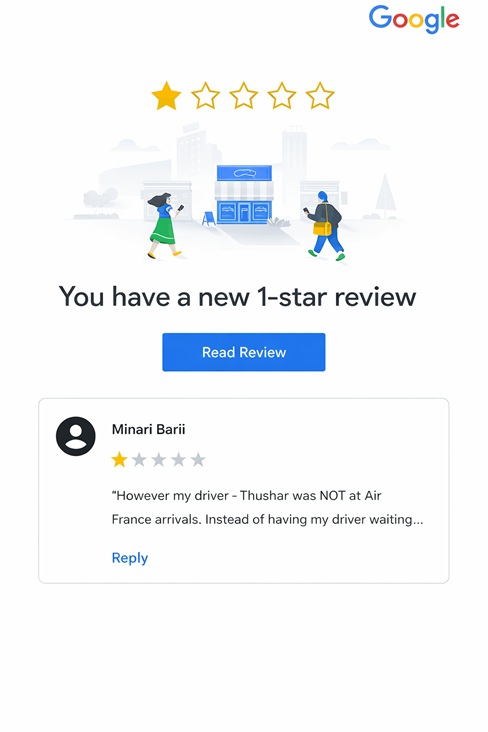
The most common cases include:
- A fake review from someone who has never been a customer
- A review from a frustrated former employee
- An organized attack (review bombing)
- Hate speech or insults
- Spam or promotional content
In these situations, you have a good chance of getting the review removed.
Method 1: Report the review directly from your Google Business Profile
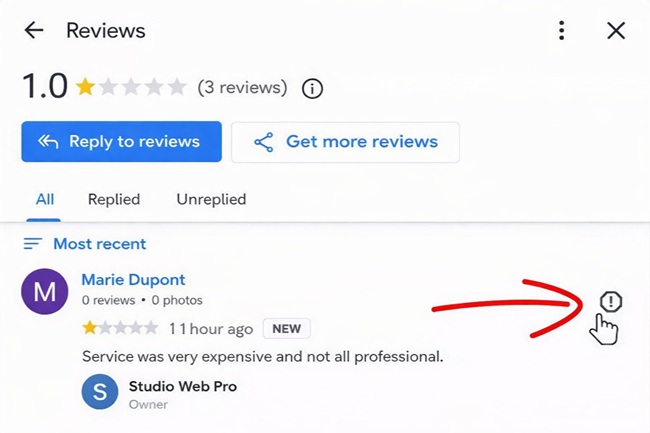
 The first method is to report the review directly from your profile.
Steps to follow:
- Sign in to the Google account linked to your profile
- Search for your business on Google
- Click View profile
- Go to Read reviews
- Find the negative review
- Click the Report icon
You will then need to select the reason for reporting the review.
For example:
- Offensive content
- Spam
- Conflict of interest
- Fake review
Once the review is reported, Google will analyze the request.
The average response time is usually between 24 hours and 3 business days.
Always respond to the review before trying to have it removed
Many businesses make the mistake of ignoring a review.
This is a poor strategy.
Even if you try to have it removed, the review will remain visible for several days.
Responding allows you to:
- Demonstrate your professionalism
- Reassure future customers
- Share your side of the story
Golden rule:
Stay calm, polite, and professional—even when facing an unfair review.
Tip
You can use ChatGPT to craft a professional response.
Example prompt:
Write a professional and polite response to this negative review left on my Google Business Profile by someone who is not a customer.
Method 2: Use Google’s official review removal tool
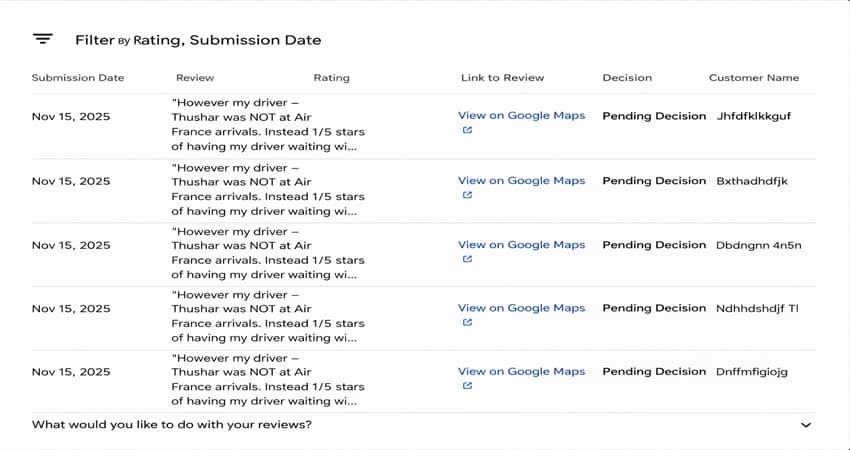
Google has set up a dedicated tool to manage review reports: the Google Review Removal Tool.
This tool allows you to:
- Report a review
- Track the status of a request
- Manage multiple reports
Here’s how it works:
- Sign in with your Google account
- Select your business profile
- Click Report a new review
- Choose the review in question
- Specify the reason for reporting
Google will then review your request.
Possible statuses
Your request can have three states:
Pending decision
Google is reviewing the request.
No violation detected
The review will remain published.
Escalation in progress
Your case has been forwarded for further analysis.
Method 3: Appeal Google’s decision
If Google refuses to remove the review, you still have another option:
Appeal.
This is the main advantage of the Review Removal Tool.
You can provide additional context and evidence to support the removal request.
How to do it:
- Go back to the review management tool
- Click Check the status of a reported review
- Select the review that was denied
- Click Submit an appeal
In the form, clearly explain:
- Why the review is false
- How it violates the rules
- Any other relevant information
After submitting, you will receive a case number by email.
Keep it safe for future reference.
Method 4: Contact the Google Business Profile Help Forum
If your appeal is denied, there’s one final option:
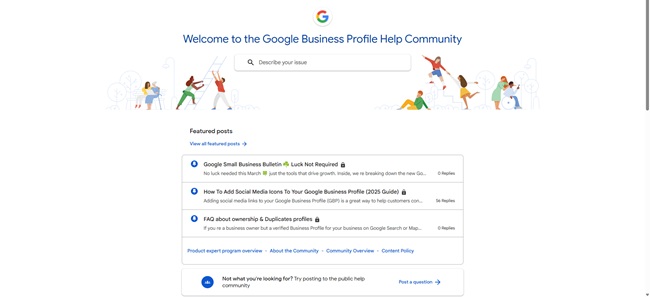
Post your request on the official forum.
This forum is managed by the Google Business Profile community.
Some moderators may escalate your case directly to Google.
How to proceed:
- Go to the Google Help Forum
- Create a new topic
- Explain the issue
- Include the case number you received by email
The moderators can then review the situation and escalate your request.
If the review isn’t removed: what to do?
Sometimes, despite all efforts, the review remains visible.
But this isn’t necessarily a disaster.
In fact, a few negative reviews can enhance your business’s credibility.
A profile with only 5-star reviews may even appear suspicious.
Recommended strategy:
- Always respond professionally
- Keep collecting new positive reviews
- Encourage your customers to add photos in their reviews
Reviews with images are often more visible on Google, which helps push negative reviews further down the list.
Conclusion
Managing reviews is an integral part of local SEO.
Knowing how to remove an unfair review on your Google Business Profile can protect your business’s reputation and maintain customer trust.
The 4 essential methods:
- Report the review directly from your profile
- Use Google’s review removal tool
- Appeal the decision
- Contact the official forum
And most importantly: keep generating positive reviews regularly.
This is the best strategy to dominate your local reputation.
Transformez un avis négatif Google en opportunité pour votre entreprise
Turn a Negative Google Review into an Opportunity for Your Business
A negative review on your Google profile can directly affect the trust of potential customers.
If you’re facing a fake review, a reputation attack, or an unfair comment, it’s essential to act with the right strategy.
With SeoYass, an expert in Google My Business (Google Business Profile) and online reputation management, you get a precise analysis of your situation.
During a 1-to-1 session with SeoYass, we will review your Google Business Profile and the specific review to identify the best actions to report it, contest it, or minimize its impact on your online reputation.




0 Comments